


⚠ Important: this port only works on phones with 128 MB of RAM or more. A 64 MB Nokia N95 will not work: you only reach the menu.
The N95 shown in the videos is not the 64 MB one: it is the N95-3 (US version), with 128 MB of RAM and microSD support up to 32 GB on the latest firmware.
An easy way to tell them apart at a glance: the N95-3's backlit numeric keypad is white, while on the earlier models it is blue. Also, the 64 MB one has a camera lens cover that the 128 MB one does not have.
Bluetooth mouse and keyboard: only work on Symbian S60v3 and S60v5. Not every Bluetooth mouse and keyboard works with Hinkka's driver: they must be generic Bluetooth 2.0 devices.
On Symbian Belle they do NOT work, due to a change Nokia made to the OS that breaks Hinkka's driver.
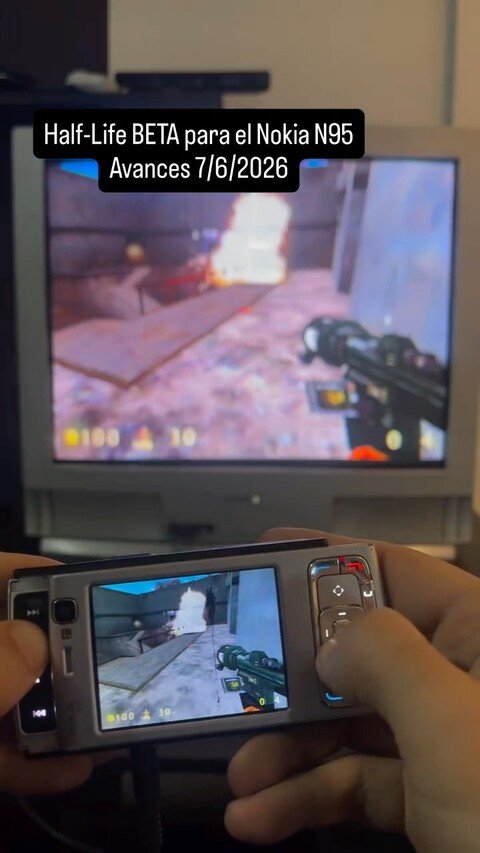
THIS IS A BETA! It is not finished and has several known bugs.
Xash3D FWGS Engine. This is a port of Half-Life 1 to Symbian S60v3.
Latest version: v31. This version was focused on multiplayer.
It is a DEBUG build: when you open it a white terminal with text appears and a log file is created to debug the game. The final release version will run much faster, because debug mode costs quite a bit of performance.
Known limitations:
- It has graphical glitches when taking damage.
- It does not work over the internet and you cannot create network games: you can only connect over LAN/WiFi with other computers that also run Xash3D (not with someone using the Steam version).
- It has several known multiplayer bugs and errors still to be fixed.
Don't be impatient: wait until the port is finished before trying it. If you have any questions, message me on social media.
What's new — version 24
The latest version is 24. Here's what's new:
- Performance improvements were made.
- It now runs on Nokias without FPU or GPU, although it is unplayable. I only did it because many people asked, but there's no chance those Nokias hit 30 fps.
- It now also works on Symbian^3 devices, like the Nokia N8 and E7.
- On the N97 mini it starts, but closes when you begin a game.
- On the E72 the game runs... but it is extremely slow and unplayable.
Remember that this port was made to get the most out of the Nokia N95. On the N95 it already reaches about 40 fps in some areas, though there are drops to 18-20 fps in certain parts of the game. I'm working on fixing it.
Important: it is still not confirmed that the campaign can be played from start to finish. And every time you install a new version, saved games from previous versions stop working.
This is still in development. The next attempt is LAN multiplayer.
How to install it
Copy the ORIGINAL game files to E:\data\xash3d and then install the engine (pick a version from the downloads below). The PIPS 1.7 libraries for Symbian are required.
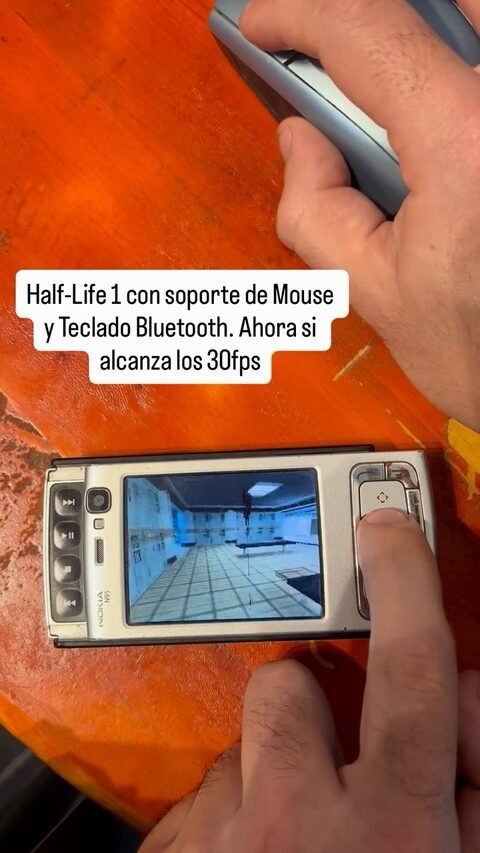
If you want to use mouse and keyboard, also install hidsupp_v100.sisx. Yes, this port has mouse and keyboard support! And sound support too.
Tons of changes were made to the code so it would compile in Carbide C++ 3.2 with the Symbian^3 SDK and the RVCT compiler.
Download the engine (v24, latest) Engine v17 (previous) Mouse & keyboard support (HID) PIPS 1.7 dependencies
Project status
Already works
Still to do
Controls
You can play with a Bluetooth keyboard (and mouse), or with the phone’s own keyboard.
Keyboard (Bluetooth HID)
| Key | Action |
|---|---|
| W / S | forward / backward |
| A / D | strafe (side step) |
| Arrows ← / → | turn |
| Arrows ↑ / ↓ | forward / backward |
| Mouse | look (left click = shoot) |
| PgUp / Del | look up / down |
| Space | jump |
| Ctrl | crouch |
| E | use / action (doors, buttons, scientists) |
| Enter | shoot |
| R | reload |
| F | flashlight |
| F12 | create a Crossfire server (deathmatch) |
Phone keyboard (Nokia N95)
| Key | Action |
|---|---|
| Arrows / joystick | move and turn |
| 0 | jump |
| 1 | previous weapon |
| 2 | secondary fire |
| 3 | next weapon |
| 5 / OK (center) | shoot |
| 6 / 9 | look up / down |
| 7 | reload |
| 8 | crouch |
| * | flashlight |
| Left soft key | use / action |
| Right soft key | menu (pause) |
 Buy me a coffee
  Become a Patron!


